
Know how the week went before your coffee.
The owner report lands in your inbox in the morning: takings, play hours, occupancy, bar profit, new members and the register difference, each compared with the period before. Open it on your phone, print it or save it as a PDF.
Run the venue from anywhere.
You should not have to stand behind the counter to know if it was a good night.
A report you actually read
One page, the numbers that matter, compared with last time.
No surprises in the drawer
Register differences show up the morning after, with who was on shift.
Decisions from data
See which hours, games and seats pay the rent, and which do not.
Every number, next to the one before.
Pick yesterday, this week, last week, this month or any dates. Takings split into play, the bar and top ups, payments split by method, and every figure shows how it moved against the period before.
- Takings, hours, occupancy and bar profit
- Register difference and shifts
- New members and members who played
- Top spenders and takings per staff member
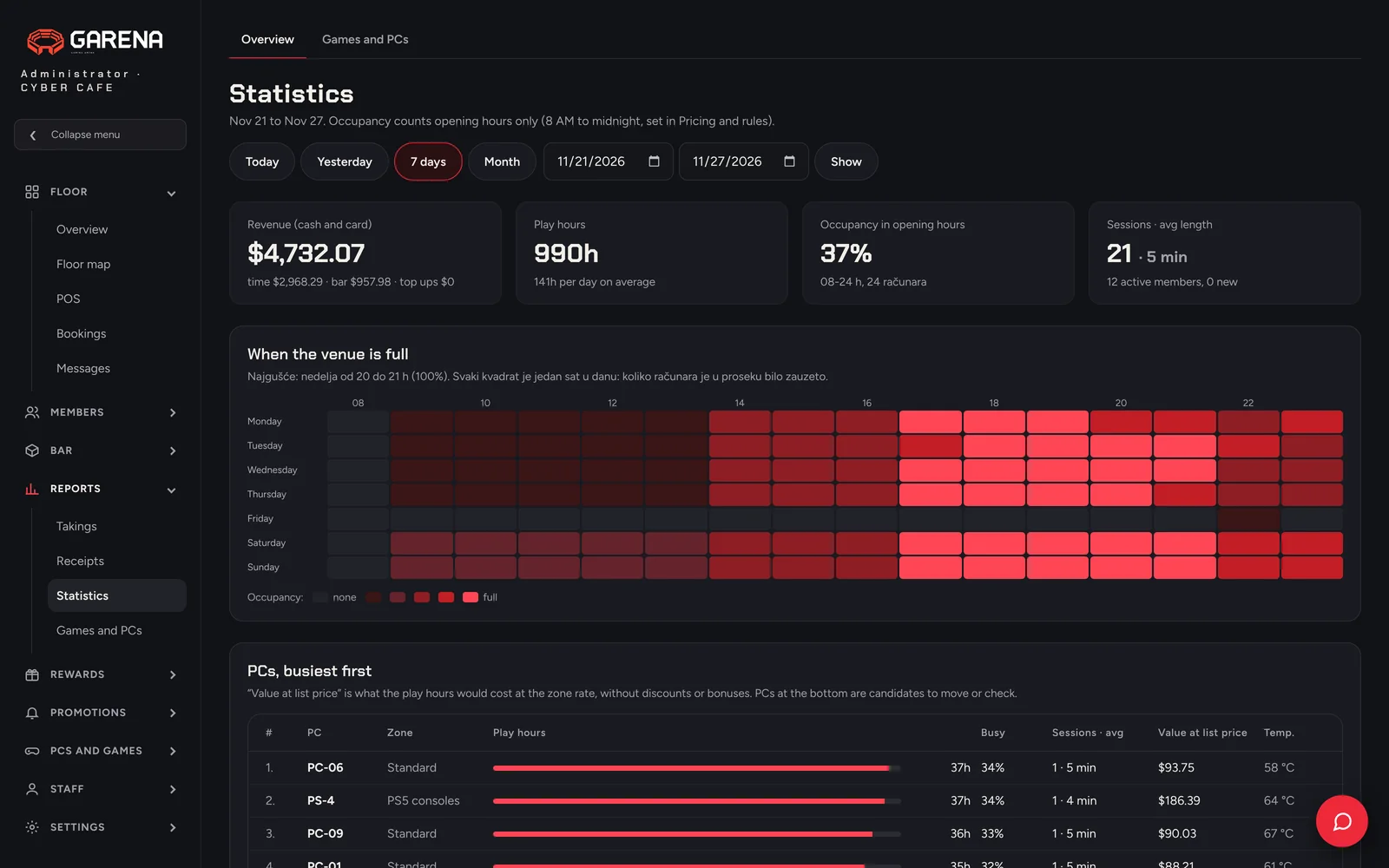
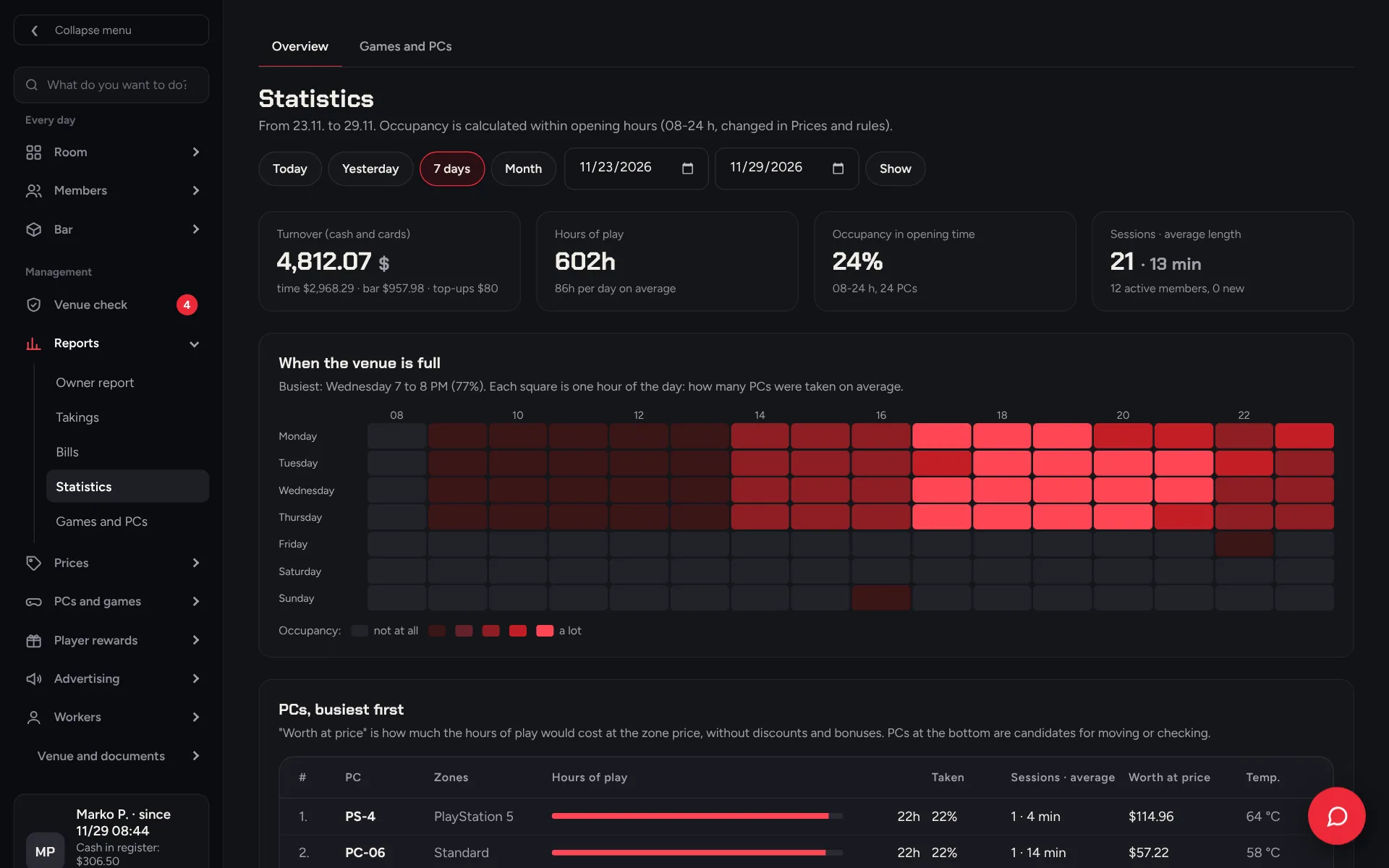
Statistics that show where the money hides.
A heatmap of every hour of the week shows when the room is full and when it sits empty. PCs are ranked by hours played and what that time is worth, so you know which seats to move, upgrade or fix.
- Occupancy heatmap by day and hour
- PCs ranked by hours and worth at price
- Average session length and active members
And a dashboard for right now.
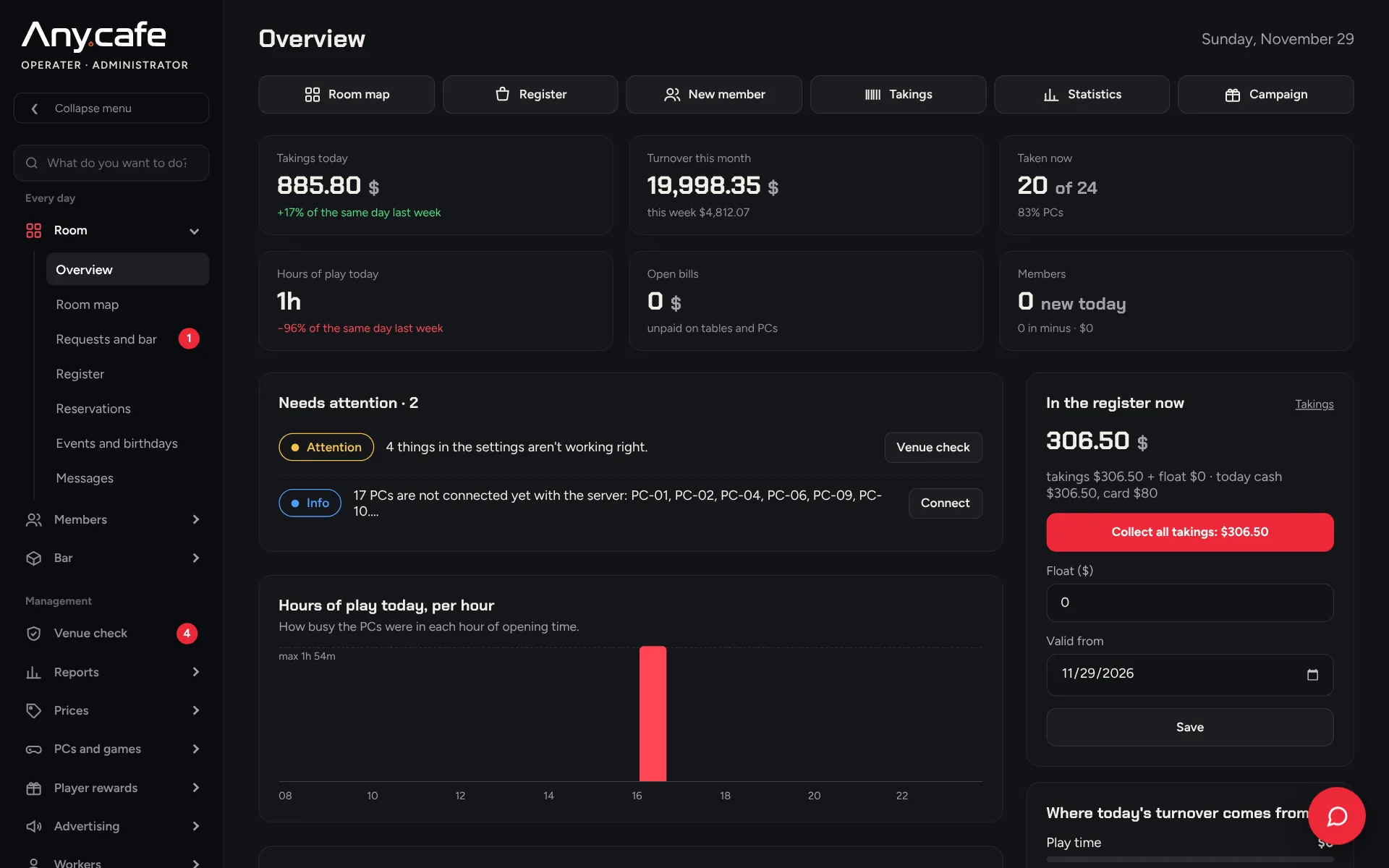
The overview shows takings today against the same day last week, what is in the register, how many PCs are taken and anything that needs attention, from a PC that stopped answering to a setting that is not finished.
- Takings today and this month
- Cash in the register and one click cash up
- Things that need attention, sorted by urgency
Clean numbers at every level.
Shift close
Every shift starts with a float and ends with a counted drawer.
Audit log
Every staff action on record, with who and when.
Reports by email
Daily, weekly or monthly, in the morning.
Print and PDF
A clean page for your accountant.
CSV export
Sales, sessions and members to a spreadsheet.
Your currency
USD, EUR, GBP or your local currency.
Report questions
What is in the owner report?
Takings, hours played, occupancy, bar profit, the register difference, new members, takings by type and by payment method, takings by staff member and your top spenders, each compared with the period before.
How often can I get it by email?
Daily, weekly or monthly, in the morning. You can also open any period in the admin panel.
Can I print it or save it as a PDF?
Yes. Every report has a print button that saves a clean PDF.
Can I see which hours are busiest?
Yes. The statistics page has a heatmap of occupancy by day and hour, and ranks PCs by hours played and what that time is worth at your prices.
Can I export the data?
Yes. Reports export to CSV, and the API gives your accountant or BI tool the same numbers.
Get your first owner report tomorrow morning.
Book a demo and we will walk through a week of reports with numbers like yours.