
A PC client that sells while they play.
The Anycafe client takes over every PC the moment it is free. Your brand on the lock screen, a launcher players enjoy using, rewards that keep sessions going and your bar one click from the game.
What it does for your numbers.
The client is the screen players look at for hours. It should be working for you the whole time.
More bar sales per session
Drinks are one click from the game, so players order more and walk to the desk less.
Longer sessions
Time left is always in view, with a top up button right next to it. Nobody gets kicked mid match.
Promos people actually see
Your events, happy hours and new games fill every free screen in the room.
Every free PC is a billboard.
The lock screen shows the time, the seat number, your logo and whatever you are pushing tonight: a tournament, a happy hour, a new game. Players sign in by scanning a QR code with their phone, or with a username and password.
- Your logo and venue name on every screen
- Events, promos and a happy hour badge
- QR sign in in about two seconds
- Staff sign in tucked into the corner
A launcher players actually like.
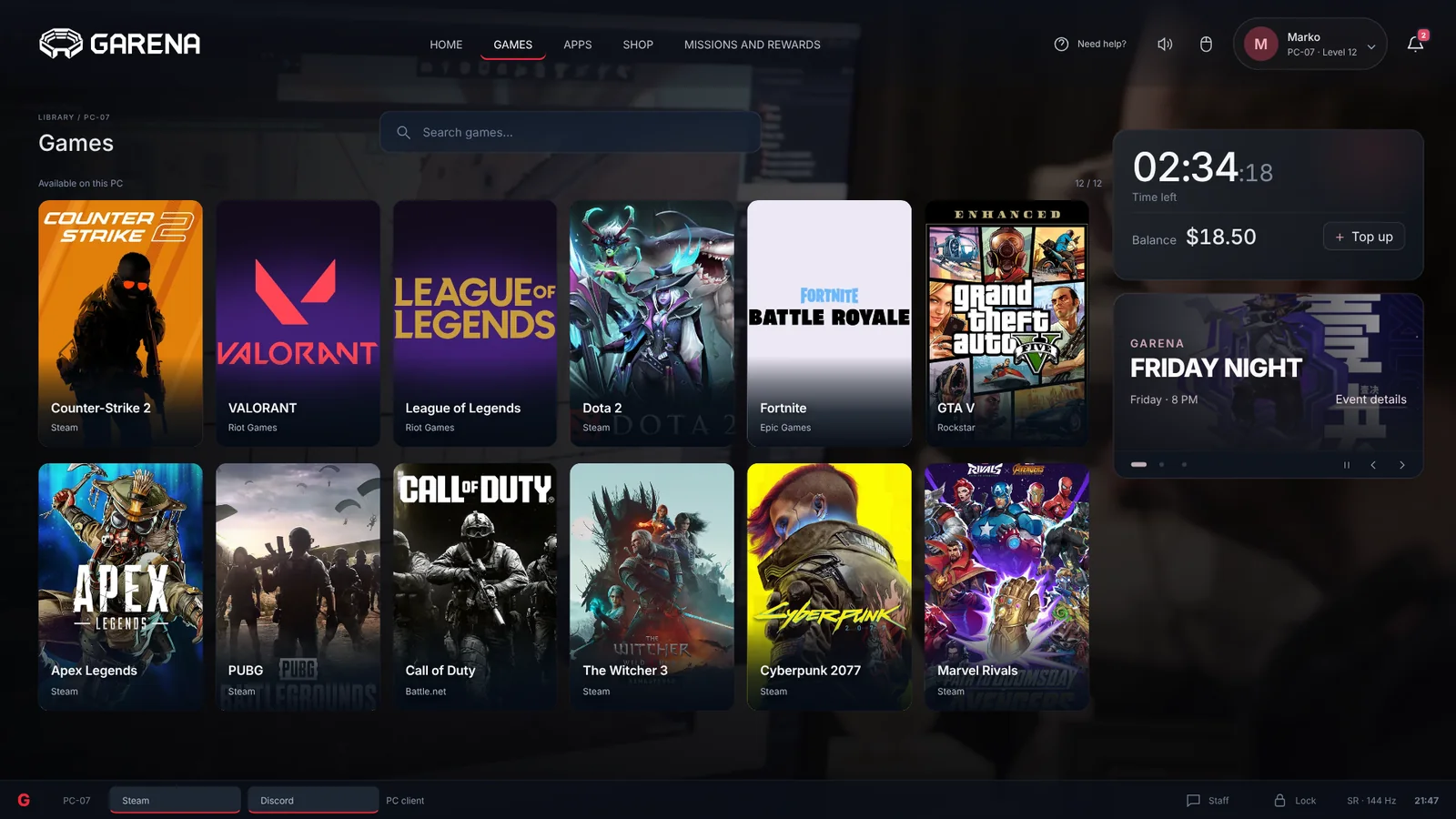
Game trailers play on the home screen, the library shows what is installed on that PC, and a live list shows friends and who else is in the venue. It feels like a gaming app, not like a kiosk.
- Game library with search and platforms
- Trailers and art for every game
- Apps like Discord, Spotify and OBS one click away
- Friends and who is online, right on the home screen
Rewards that keep the session going.
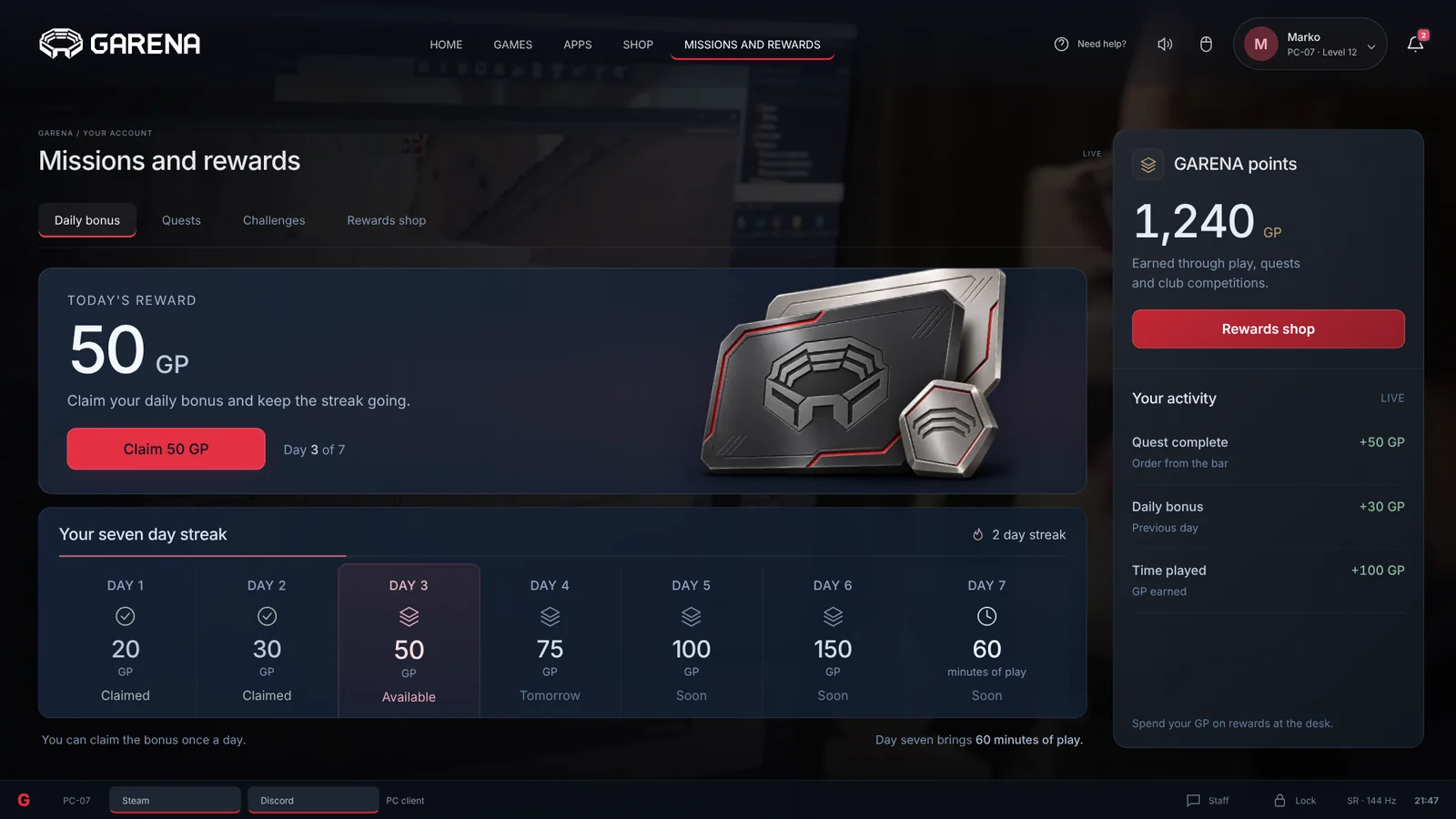
A daily bonus with a seven day streak, quests, challenges and a rewards shop, all inside the client. Players see their points grow while they play, and spend them at your counter.
- Seven day streak that pays more each day
- Quests and challenges with points
- A rewards shop for time, drinks and prizes
- Activity feed of every point earned
The bar, one click from the game.
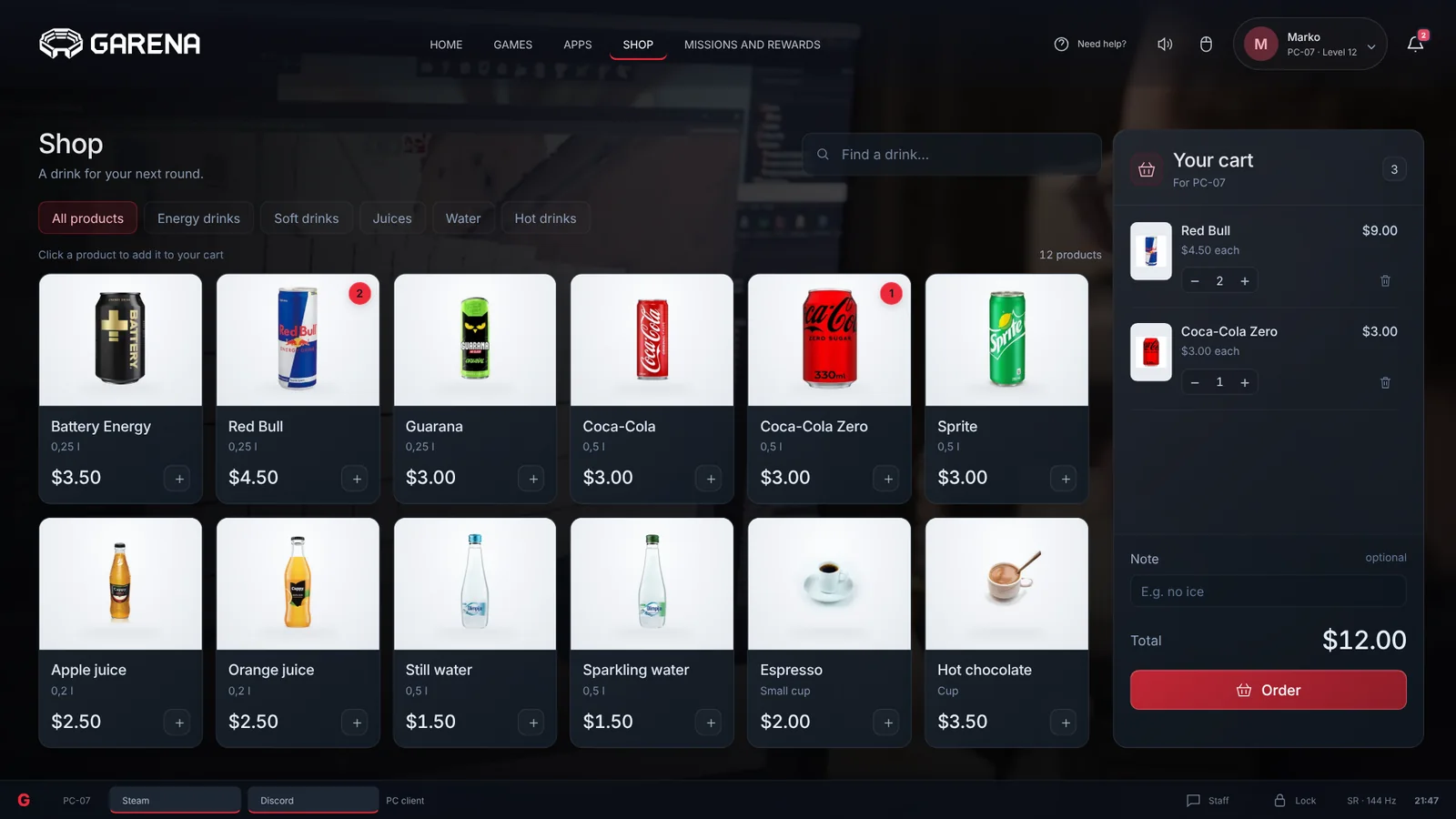
Players pick drinks and snacks, add a note like no ice and send the order. It lands at your desk with the PC number on it, and the bill goes on their tab or balance.
- Your full menu with photos and prices
- Notes on every order
- Orders arrive at the desk with the seat number
- Pay from balance or add to the bill
Put the leaderboard on the big screen.
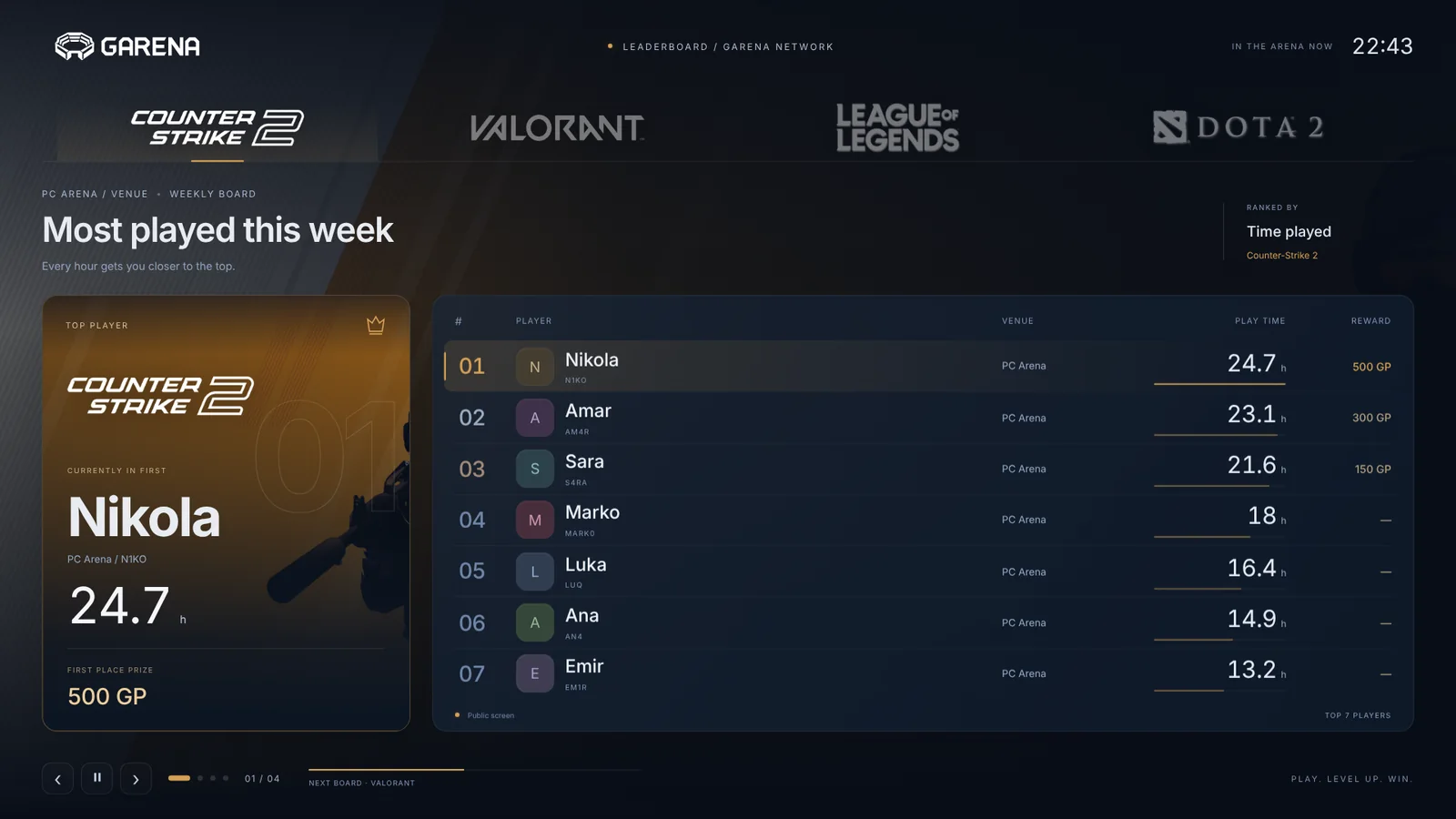
The public leaderboard is made for a TV on your wall. It cycles through your games, shows the top seven and the prize for first place, and keeps everyone in the room chasing a spot.
Built for the people running the room, too.
Staff sign in on every PC
A small shield on the lock screen opens staff sign in, separate from players.
Windows mode for technicians
Unlock a PC for maintenance, then hand it back to Anycafe with one click.
Call staff from the seat
Players ask for help from the client, and the desk sees which PC needs a hand.
PC client questions
Which PCs does the client run on?
Windows 11 PCs. It takes over the screen as soon as a PC is free and hands it back when a session ends.
Can I put my own branding on it?
Yes. Your logo, venue name, events and promos show on the lock screen and the home screen of every PC.
Can players order from the bar on the PC?
Yes. Players pick drinks and snacks in the client, add a note and send the order to your desk with their PC number on it.
Can players get to Windows on their own?
No. Players use the client. Staff sign in from the lock screen, and technicians can switch a PC to Windows mode for maintenance and hand it back with one click.
Does the client show time and balance?
Always. Time left and balance stay in view on every screen, with a top up button right next to them.
See the client on a real PC.
In the demo we put the client on a machine and let you use it the way your players would.