
Prices that follow your busy hours.
A seat on Friday night and a seat on Tuesday morning are not worth the same. Set price windows by day and hour, add a rule that reacts to how full the room is, and Anycafe applies the right price every time someone sits down.
Why one price all day leaves money on the table.
Your quiet hours are too expensive to fill and your peak hours are too cheap to matter.
Fill the quiet mornings
A lower price on weekday mornings brings students and remote workers in.
Earn more at the peak
Friday and Saturday nights sell out anyway, so let them earn a little more.
Smoother nights
Players who want a deal come earlier, and the room stays busy for longer.
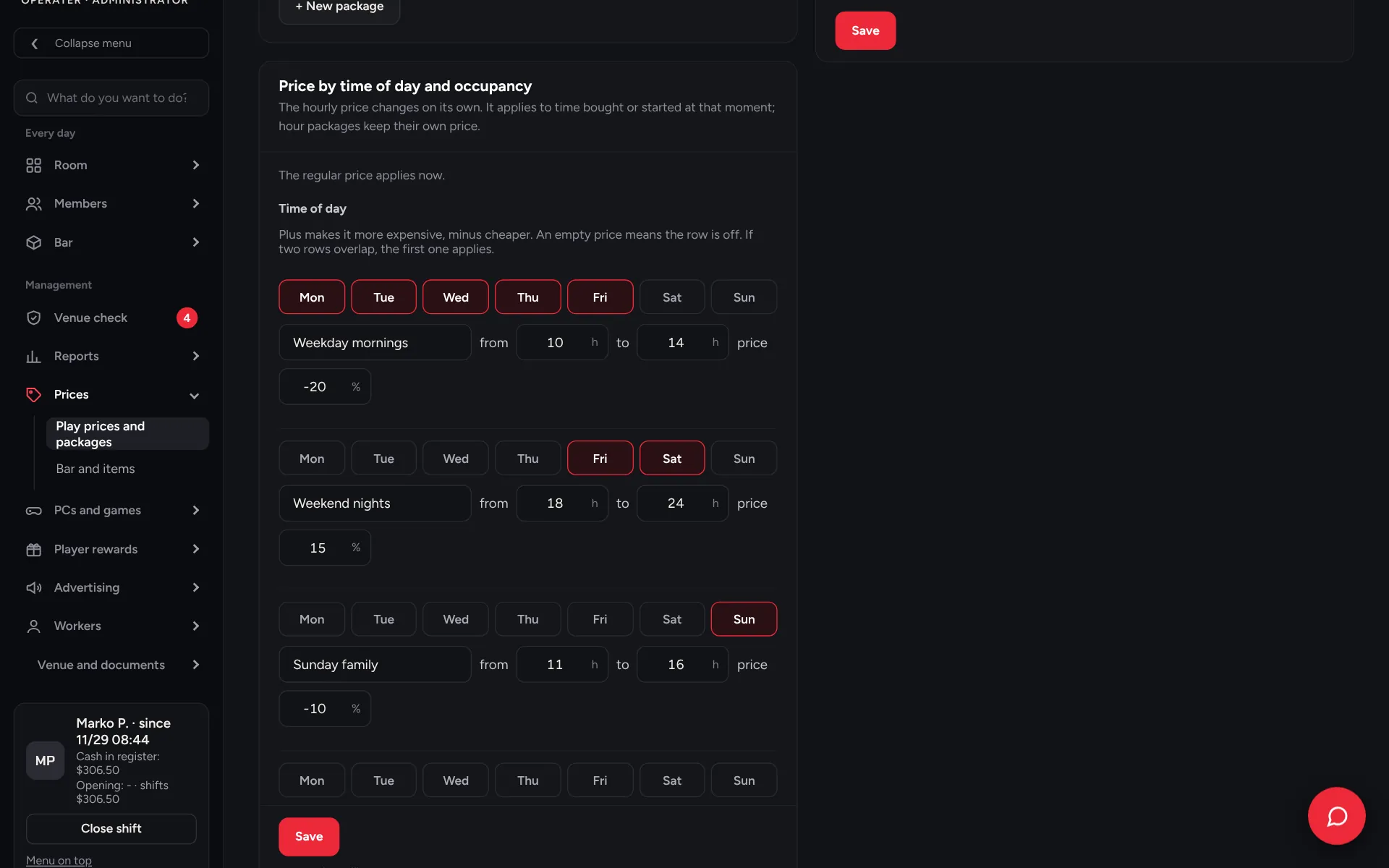
Price windows by day and hour.
Pick the days, the hours and a percentage. Weekday mornings 20 percent cheaper, weekend nights 15 percent more, a Sunday family discount. Anycafe applies the first window that matches, on every zone.
- Days of the week and hours for each window
- Plus or minus a percentage on the zone price
- Applies to time bought or started in that window
- Hour packages keep their own price
A crowd rule for peak and quiet hours.
Add one rule that watches how full the room is. When more than a set share of PCs are taken, prices go up a little. When the room is nearly empty, they go down. Guests who pay at the end keep the price from when they sat down.
- A price change above an occupancy level you choose
- A discount below a level you choose
- Fair to players already in their seats
Find your peak hours first.
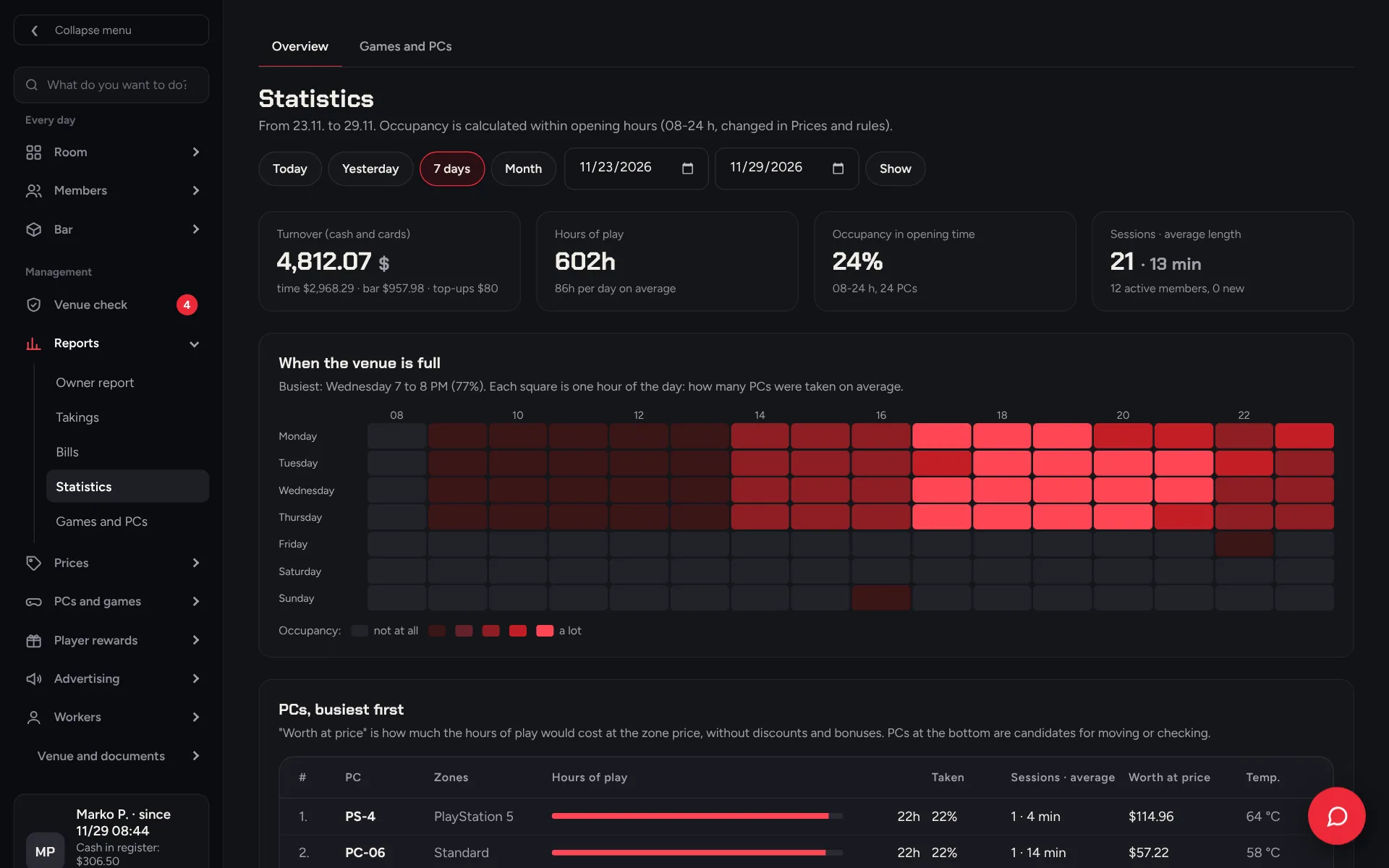
The statistics heatmap shows how full the room is for every hour of every day, and which PCs earn the most. Set your windows where the data says, not where you guess.
- Occupancy by day and hour
- Busiest hour of the week at the top
- PCs ranked by what they earn
And every classic pricing tool.
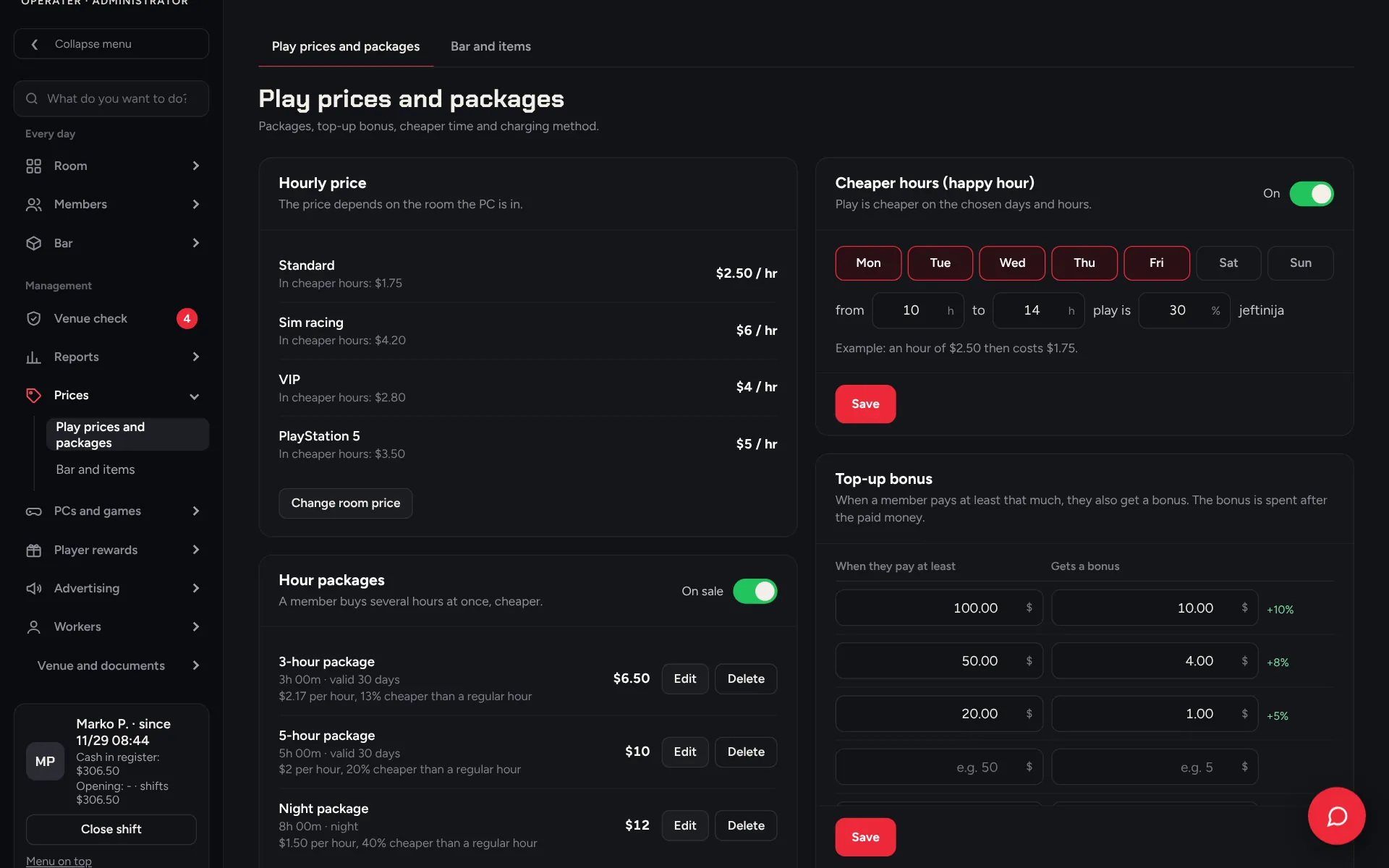
Zone rates, happy hours, hour packages, top up bonuses and memberships sit on the same page, so you see your whole price list at once.
- Hourly rate per zone, consoles priced per player
- Happy hour on the days you pick
- Hour packages with a lower price per hour
- Top up bonuses, like $10 extra on $100
Dynamic pricing questions
What is dynamic pricing in a gaming cafe?
Prices that change with demand. With Anycafe you set price windows by day and hour, and an optional rule that raises the price when the room is nearly full and lowers it when it is quiet.
How many price windows can I set?
Several, each with its own days, hours and a plus or minus percentage. If two windows overlap, the first one in the list applies.
Is it fair to players who sat down before the price changed?
Yes. Guests who pay at the end keep the price from when they sat down, and time that was already bought keeps its price.
Do hour packages change price too?
No. Hour packages keep their own price, so regulars always know what a three hour pack costs.
Can I still run a happy hour?
Yes. Happy hours, hour packages, top up bonuses and memberships all work next to dynamic pricing.
Does the kiosk use the same prices?
Yes. The kiosk, the desk and the PCs always show the price that applies right now.
Price your hours like they are worth.
Book a demo and we will look at your busy hours and set up price windows with you.