
Run every PlayStation like a PC.
Anycafe TV is an Android TV app for the screen next to each console. It locks the station when it is free, signs players in with a QR code, switches the TV to the PlayStation when time starts and shows a timer over the game. Console time finally gets billed as carefully as PC time.
Why console venues switch to Anycafe TV.
Console bays leak the most money. Nobody watches the clock, and nobody wants to be the one who turns off a game.
No more kitchen timers
The TV counts down, warns the players and ends the session on its own. Staff never have to walk over and pull the plug.
Priced per player
One rate for two players, another for four, rung up with no math at the counter.
Your brand on the big screen
Every free TV shows your logo, your background and tonight’s news.
A lock screen that sells the next game.
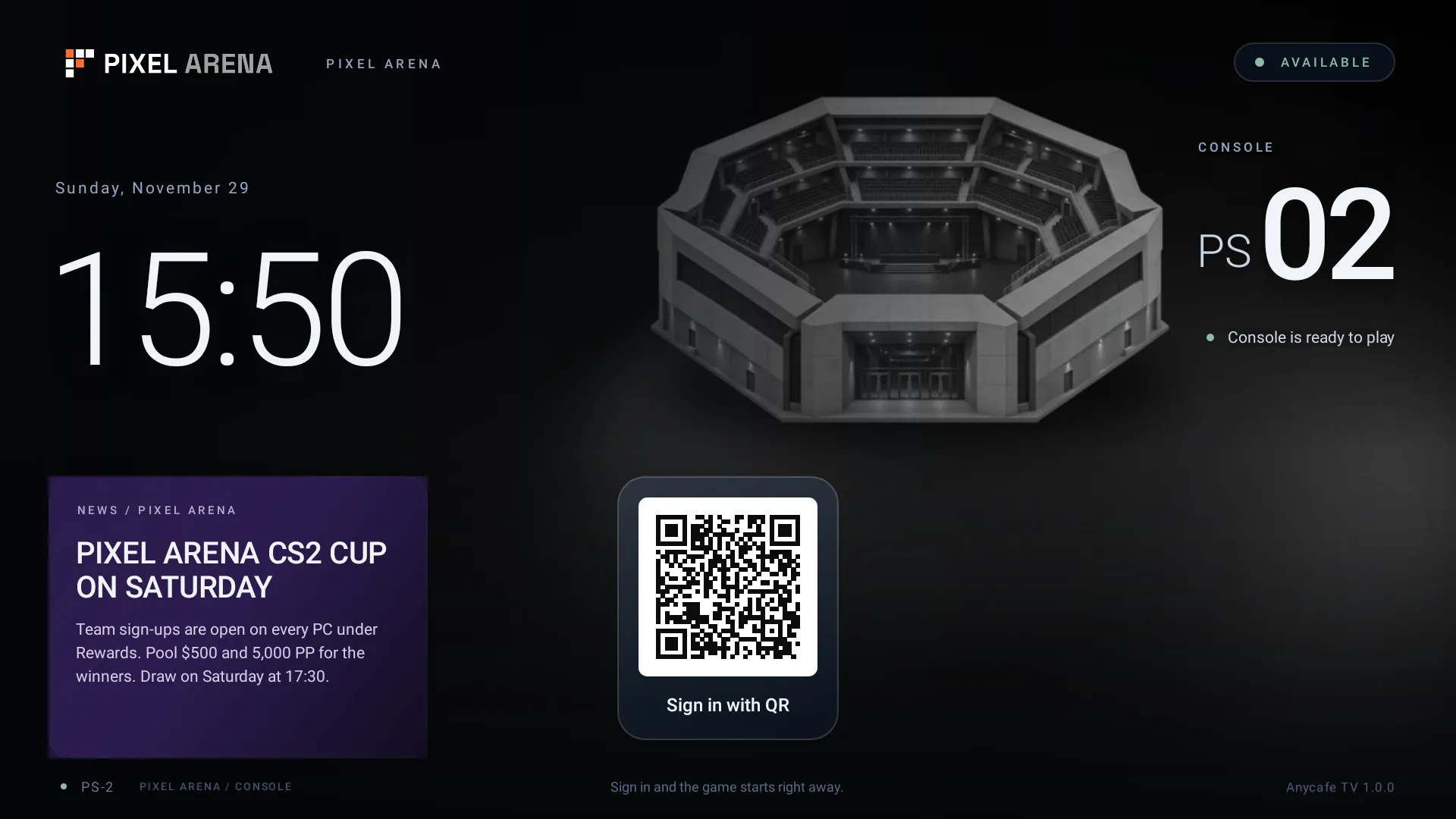
A free station shows the time, the station number, your logo and background, and a news card with your next tournament or happy hour. Members scan the QR code with their phone and the console is theirs.
- Clock, station badge and your venue name
- News cards from your admin panel
- QR sign in through the player portal
- Your PlayStation background image
Reserved means reserved.
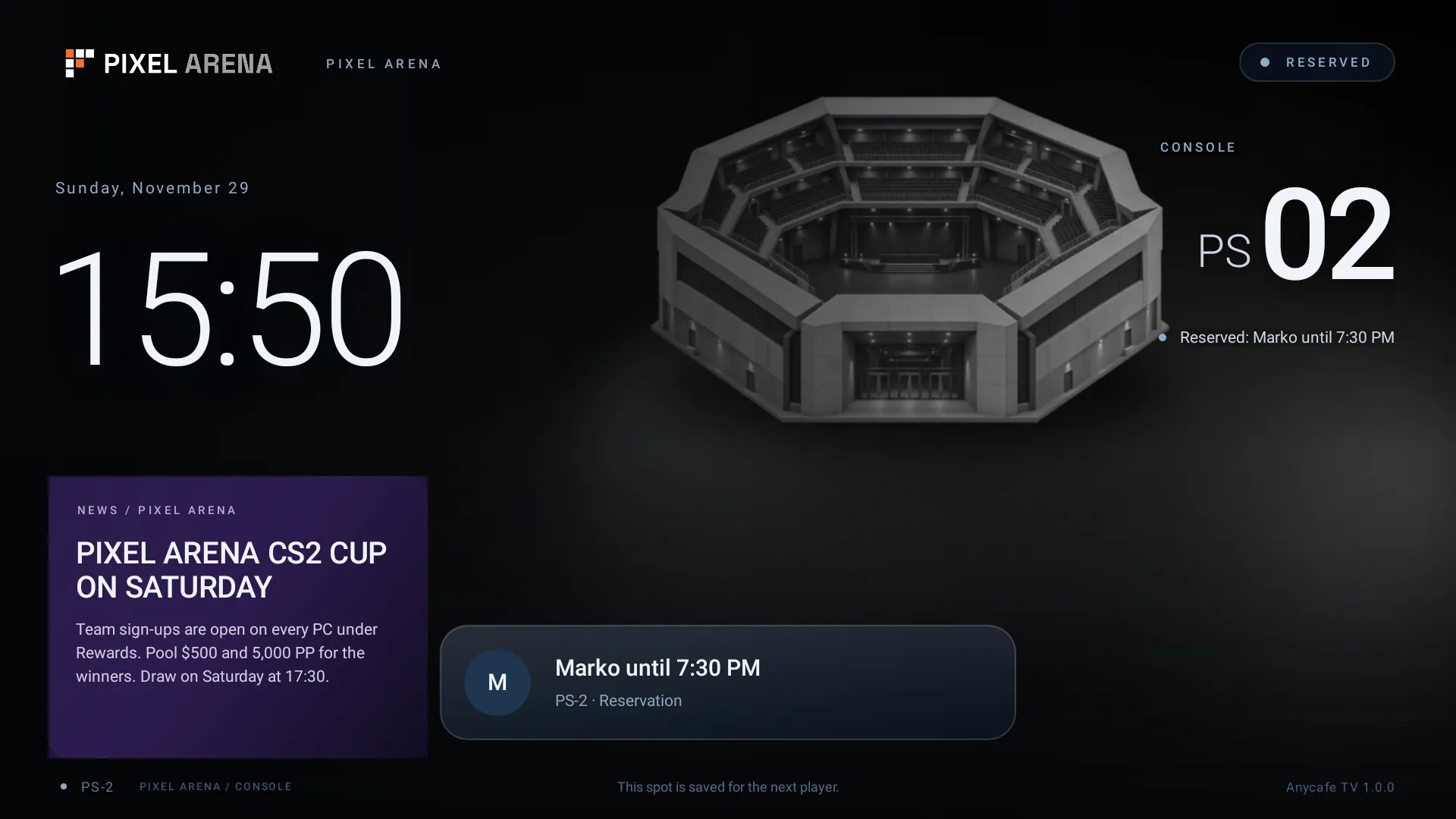
When a player books a console, the TV shows the reservation and holds the station for them. Walk ins see it is taken, and nobody argues at the counter.
- Who booked it and until when, right on the screen
- Held for the player, released on its own if they do not come
- Bookings from the portal or the desk
Warnings and a timer over the game.
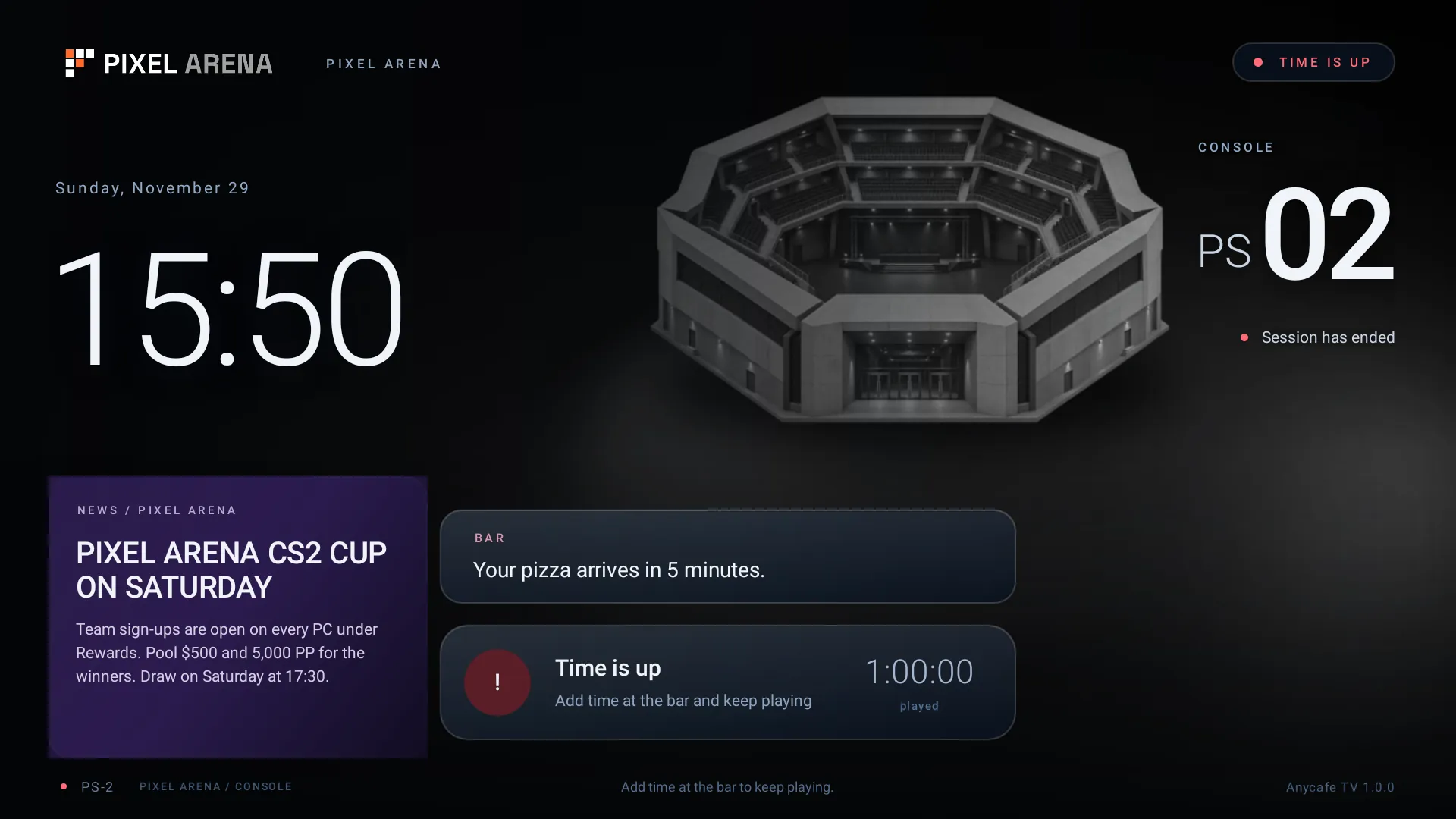
A small timer sits in the corner while they play, and a warning appears five minutes before the end, so there are no surprises. When time is up, the TV goes back to the lock screen and asks them to add time at the bar.
- Time left in the corner of the game
- A five minute warning on screen
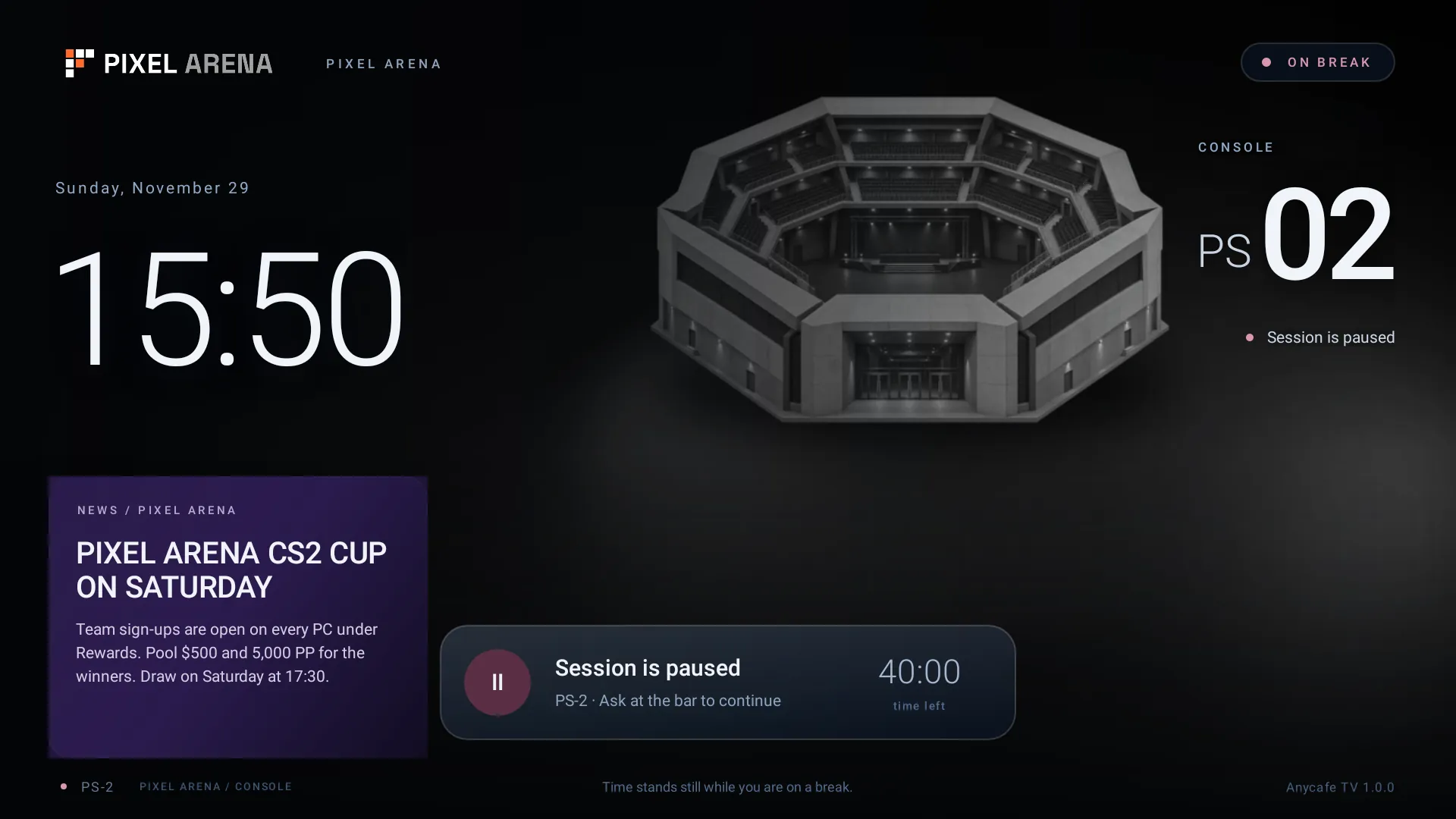
- Pause when they take a break
- Messages from the desk, like your pizza is on its way
One floor map for PCs and consoles.
PS5 bays sit on the same floor map as your PCs and sim rigs. Start a session, add an hour or move players from the desk, and every minute ends up on the same bill as the drinks.
- PCs, consoles and sim rigs on one map
- Per player rates for every console zone
- Time and drinks on one bill
Made for the room, not the lab.
Switches the TV for you
The screen jumps to the console input when a session starts and back to the lock screen when it ends.
Settings behind a PIN
Players cannot change the setup. Staff open settings with a PIN.
Updates on its own
New versions of the app install themselves, so every TV stays current.
Any console on HDMI
PS5, PS4, Xbox or Switch on the input you choose.
Warnings on screen
Reservations, breaks and time warnings show on the TV itself.
Console and TV client questions
Which TVs does Anycafe TV run on?
Android TV and Google TV sets and boxes running Android 8 or newer. Switching the screen to the console input works on TVs with Android TV built in.
Does it only work with PlayStation?
No. The app switches to whichever HDMI input you choose for the station, so it works with any console plugged into that input. Most venues use it for PS5 bays.
How are console sessions priced?
Each console zone has its own hourly rate, and you can set a price per player, so a game for four costs more than a game for two without any math at the counter.
How do players sign in?
Members scan the QR code on the TV with the player portal on their phone. Guests pay at the desk or the kiosk, and staff start the station from the floor map.
What happens when time runs out?
The game gets a five minute warning on screen, and when time is up the TV goes back to the lock screen with a prompt to add time at the bar. The station is free on your floor map right away.
Is the TV client included?
Yes. Anycafe TV is part of every plan, along with every other module.
Put your PS5 bays on the clock.
Book a demo and we will show Anycafe TV running next to a console, with your prices per player.